Breaks and recaps
Intermission
The Intermission button at the top of the panel puts a card over everything, map and stage, for everyone.
- Click Intermission.
- Pick a title (Be right back, Intermission, Starting soon, That's all for tonight) or type your own, add a message if you like, and choose a countdown (none, 5, 10, 15 or 30 minutes).
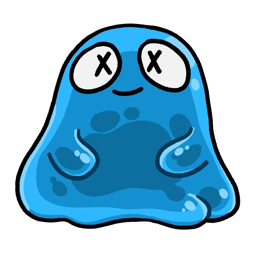
- Optionally change the Picture: Choose… any image (your campaign logo, a snack-break meme, your own face); Use the blob goes back to the Big Blob. It's remembered for next time, and changing it while a card is up updates the card at once.
- Click Show to everyone.
Players see the blob, your title, your message and the countdown, over a blurred copy of the current backdrop. They keep the chat and the sidebar. 5 more minutes adds time; Back to the game (in the menu, or on the card itself for the GM) ends it. A video playing on the Screen is paused first.
Previously on…
As you play, the module remembers each scene that goes live (the backdrop and who was on stage) and the lines spoken, grouped into sessions.
At the start of the next session:
- Click Recap at the top of the panel.
- Pick the session (the last finished one is chosen for you).
- Click Play the recap.
Everyone watches a short "Previously on…": up to seven scenes from that session, each with a line or two, in an old-film look. When it ends, the stage goes back exactly as it was. Click Stop recap to end it early.
- Silhouetted characters' lines aren't remembered, so a recap never gives away a mystery.
- Forget all sessions in the Recap menu starts the history afresh. Your backdrops and cues stay.